
In short
- Make the smallest change that solves the problem: one exercise, one session or one week, not the whole plan.
- Prepare changes in draft and publish them together, with one sentence explaining why.
- Keep every published version so you can compare and roll back if the change doesn’t work.
Every change has a cost for your client
For you, swapping an exercise is two clicks. For your client, it means learning something new, losing the reference for their weights and sometimes wondering whether the old plan was wrong. Change too much, too often, and they stop trusting it and stop following it.
Before you touch anything, ask what problem you’re solving: pain, a plateau, missing equipment, not enough time. Then change only what it takes to solve it.
Change just enough: one exercise, one session or one week
Most changes are small. Laura’s shoulder bothers her on the overhead press: you don’t rebuild the week, you swap that exercise. Diego is traveling and only has dumbbells: you adjust his sessions, not his goal.
In 2T4T you have a tool for every size of change:
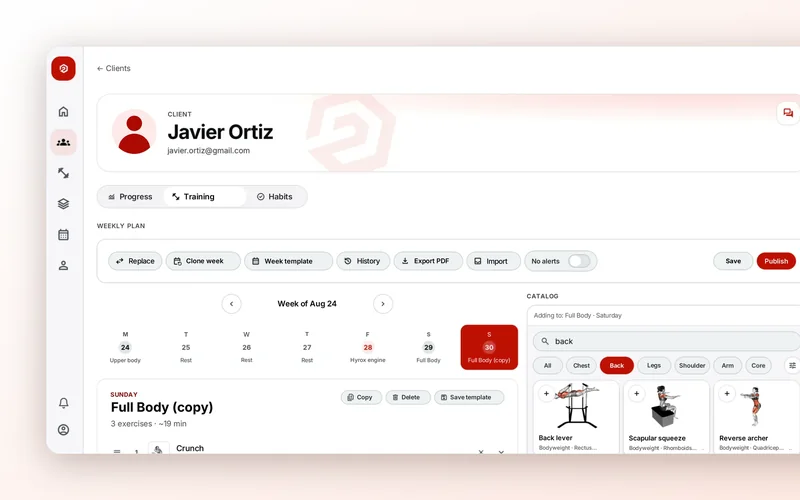
- Swap exercise replaces one exercise with another across the whole plan in one go.
- Copy duplicates a session within the same week, and you can copy a session from a past day and paste it onto another day.
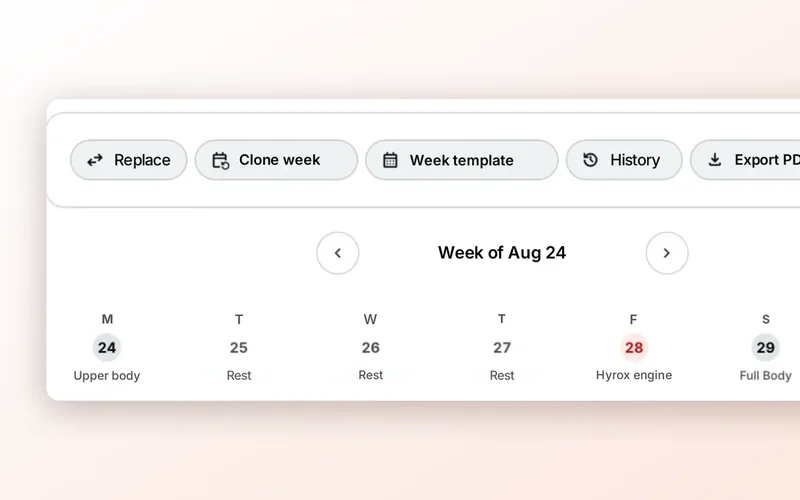
- Clone this week adds a copy of the week to the end of the plan, and duplicate week, in each week’s header, does the same with whichever week you pick.
The deload week, kept simple
Every so often, or when you see fatigue building up (worse sleep, weights that won’t budge, more aches), an easier week helps your client recover and come back stronger. The simplest way: same exercises, fewer sets and a bit less weight. That way there’s nothing new to learn.
In 2T4T, the most direct way is to clone the week and, in the copy, remove a set or two per exercise and drop the weights slightly. Add a note to the session so they know it’s on purpose.
“This week we’re easing off a bit: same sessions, fewer sets. The idea is that you come into next week feeling fresh.”
Prepare in draft and publish in one go
If you edit a plan your client is looking at, they might run into half-finished changes in the middle of a session. Work on the side and publish when the week is complete: that way there’s always one current version.
In 2T4T everything you change stays in the draft, and your client keeps seeing the previous version until you hit publish. When you publish you see the differences from what they had and can write a reason for the change, which is saved with that version. Beforehand, the client view shows you the week exactly as they’ll see it in their app, without publishing anything.
Keep versions so you can roll back
A change that seemed like a good idea sometimes isn’t. If you save every version with its reason, in a minute you know what you changed, when and why, and you can undo it without rebuilding the plan from memory.
In 2T4T the version history keeps the version your client sees and the earlier ones. You can compare any of them with the current one and restore an earlier version: it gets published again and the current one is saved in the history. If you want to give them the plan on paper or keep it on file, you can export the published version as a PDF.
What your client sees when you change the plan
However clear the change is, your client needs to find out before their next session, not halfway through it.
In 2T4T, when your client opens their app after you publish, they see “Changes to your week,” day by day and one line per change: “exercise: before → now,” new or removed sessions and sessions that moved to another day. They can tap “Got it” or “Ask them,” which opens their chat with you.
If the change is a big one, send them a line in the chat yourself as well. Two sentences from you are worth more than any notice.