
In short
- You don’t diagnose: if the pain won’t settle, there’s swelling or they took a knock, your client sees a physio or doctor and you adapt to what they say.
- Record every injury with its area, side, severity and phase, and check the plan against it before you publish.
- Swap or drop what loads the area, write down why you keep what you keep, and explain it to your client.
First, what isn’t your job
You’re a trainer, not a physical therapist or a doctor. When Marta tells you her knee hurts, your job isn’t to figure out what’s wrong, it’s to decide what she trains in the meantime and to know when to send her to a healthcare professional.
Refer right away if the pain started after a knock or a twist, if there’s swelling, if it hurts at rest or at night, if it isn’t better after a few days, or if you notice tingling or loss of strength. Adapt the plan to the guidance they get, not yours.
In the meantime, the rule of thumb is simple: whatever causes pain in the area goes; whatever doesn’t load it stays.
What to record for each injury
A vague note (“her leg bothers her”) won’t help you decide anything. At the very least:
- Area and side: left knee, right shoulder, lower back.
- Severity: mild, moderate or high. It’s your practical call on how much to protect the area, not a diagnosis.
- Phase: acute, return to activity or chronic. A week after a sprain isn’t programmed like three months after it.
- Whether they had surgery and when the physio or doctor cleared them.
- A note with what they were told: “no impact until the next check-up.”
And when it heals, mark it as resolved instead of deleting it: a year from now you’ll want to know Diego already had shoulder trouble.
Hear about the pain in time
Lots of clients don’t mention that something hurts until it’s too late. Make it easy for them to tell you in the moment.
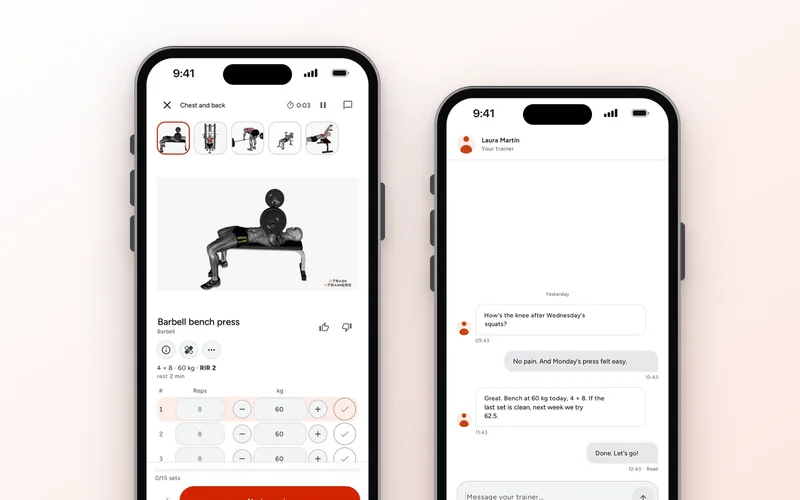
In 2T4T your client logs it from their app: “Add injury” in their profile, or “It hurt” on the exercise screen, which opens the form with the area and the exercise already filled in. When they finish a session they can mark pain by area. If they write “my knee hurts” in the chat, that gets picked up too.
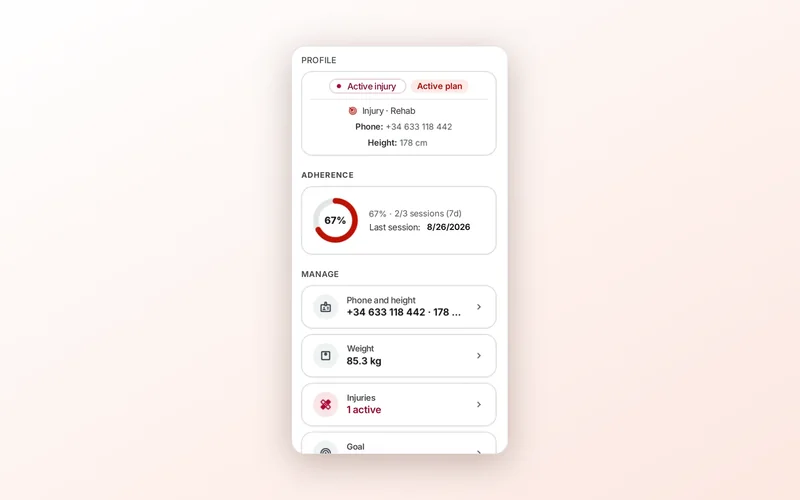
Pain marked at the end of a session or picked up from a message creates an injury to confirm and shows up in “Needs attention” on your home screen until you tap “Handled.” In the “Injuries” panel on their profile you’ll find them in three groups: “To confirm,” “Active” and “Resolved.” You settle one to confirm with “Confirm” (you choose the severity; it suggests the one the message points to) or with “Not an injury,” which dismisses it without sending anything to the client. Active ones have “Edit,” for the area, side, severity, phase and surgery, and “Mark as resolved.”
Check the plan against the injury
With the injury recorded, go exercise by exercise and ask what loads that area. With a sore knee, squats, lunges and jumps are the first suspects.
For each one you have three options: swap it for something that doesn’t load the area, reduce the load or the range, or keep it because the physio said it’s fine. What isn’t okay is not having looked.
In 2T4T the plan editor warns you when an exercise loads the area of an open injury, active or to confirm: “Possible conflict with the left knee injury (active, moderate severity): ‘Squat’ loads that area. Review it or pick a substitute.” An injury to confirm counts as high severity until you confirm or dismiss it, just to be safe.
Publish with judgment and write down why
Before your client sees the new plan, decide warning by warning and note why. If you keep Laura’s deadlift despite her lower back, note that her physio approved it.
In 2T4T strict mode is on by default (you can change it in Settings). With it on, a high-severity or to-confirm injury blocks publishing until you swap the exercise, or confirm or dismiss the injury. Every other warning asks you for a decision in the publish dialog: “I’ll swap it,” which takes you to that row in the editor, or “Reviewed, keeping it,” with a short reason that’s required.
Tell your client
Tell them what you removed, why, and what to do if something bothers them:
“Marta, this week I’ve swapped squats for glute bridges while your physio takes a look. If your knee bothers you on any exercise, stop and message me.”
In 2T4T, if you keep an exercise that loads the area of an active injury, your client sees it in their app: “Loads the area of your injury (knee)” under the exercise, and a warning asking them to “Tell your trainer before you do it,” or “Talk to your trainer before you do it” if the injury is severe, with your name and a message already written for them to send you. The app never changes the exercise for them: that’s your call.